
Digital Confidence · Westcliff, Southend & surrounding areas
Technology should make life easier.
Let’s get there together.
Friendly, patient help with everyday technology. Whether you’re finding your feet with a new device or arranging support for a community group, we’ll take things one step at a time.
No jargon
No rushing
No question too small
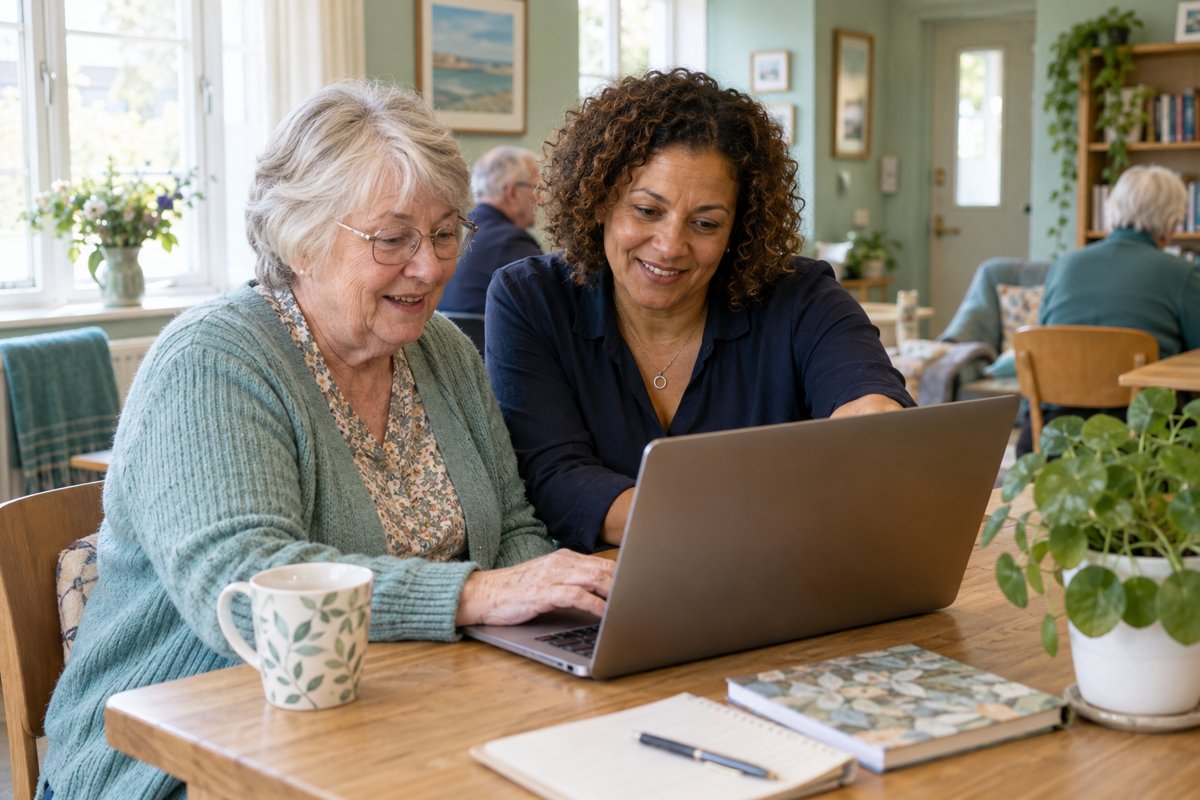
Start where you are
You don’t have to
figure it all out alone.
It can feel as though everyone else knows which button to press. They don’t. A little help, explained clearly and without a rush, can make a real difference.
We start with what you want to do, explain the steps and give you time to try them yourself. You stay in control of your device and accounts.
For individuals
Your questions.
Your pace. Your progress.
Support shaped around the things you want to feel more comfortable doing — for yourself or someone you care about.
01 /
Getting to know your device
Find your way around a phone, tablet or laptop. Understand the settings you use most and practise the everyday tasks that matter to you.
02 /
Keeping in touch
Get more comfortable with email, messages and video calls, so staying connected with friends, family and groups feels easier.
03 /
Making sense of online tasks
Work through websites, apps and everyday forms, and learn where to look when something is confusing.
04 /
Photos, files & the little things
Understand where things are saved, organise what you need and practise finding it again without the usual hunt.
05 /
Building safer habits
Talk through unfamiliar messages, passwords and account settings in plain English, and learn when to pause and ask for help.
06 /
Growing your confidence
Repeat the steps, make useful notes and build familiarity. You don’t need to learn everything in one session.
For community organisations
Make digital support
welcoming for everyone.
Community groups, local organisations and teams often know where people are getting stuck. We can work with you to shape practical sessions around those needs.
Tell us who the support is for, how many people may attend and what you would like them to be able to do. We’ll discuss a suitable format, venue and approach.
01 /
Approachable group sessions
Focus on useful everyday tasks, with clear explanations and room for questions.
02 /
Support for staff & volunteers
Help the people in your organisation feel more comfortable with the tools they use.
03 /
A session that fits the group
Discuss starting points, access needs, devices and the time available before agreeing the plan.
What to expect
A little patience.
A clear next step.
01
Tell us what you need
A task, a question or simply “I don’t know where to start” is enough. Tell us if you’re enquiring for someone else or for a group.
02
Agree the arrangements
Discuss what you want to learn, your device, the best format and any access needs. Agree the cost and session arrangements before booking.
03
Work through it together
We explain, demonstrate where helpful and give you time to try. Ask questions, repeat a step or take a break whenever you need to.
04
Leave with a useful next step
Practise what you’ve learned and agree any notes or follow-up support that would help you keep going.
Before a session
No homework.
Just a starting point.
If you have a particular problem, make a note of it or describe what happens. If you don’t know the right words, that’s fine too.
- Tell us which phone, tablet or computer you use, if you know.
- Bring your device and charger if an in-person session has been arranged.
- Mention anything that would make the session more comfortable or accessible.
- For a group, let us know about the venue, Wi-Fi and available devices.
There’s no need to send passwords or account details when you enquire.
You might be wondering
A few questions
you are very welcome to ask.
Is this only for older people?
No. Digital Confidence is for anyone who would value patient help with everyday technology. You do not need to be a particular age or have any previous experience.
Can I arrange help for a parent, relative or friend?
Yes. Tell us what they would like help with and involve them in planning the session. The support should reflect their goals, comfort and consent.
Where do sessions take place?
We are based in Westcliff-on-Sea and support Southend and surrounding areas. Tell us your location and what you need; we’ll agree a suitable place and format before booking. For community sessions, we can discuss your venue and facilities.
Do I need my own device?
Using your own device is often the most useful way to practise, because it is what you will use afterwards. Tell us what you have when you enquire. For group sessions, device arrangements are agreed with the organisation.
What if I need things explained more than once?
That is absolutely fine. Repeating steps and having time to practise are part of learning. We can slow down, try a different explanation or make a note of the steps together.
Can you fix a broken device?
Digital Confidence focuses on using technology and building skills. Tell us what is happening first so we can discuss whether it is something we can help with or whether a repair specialist would be more appropriate.
Can you accommodate accessibility needs?
Tell us what would help you take part, such as a quieter setting, larger text, breaks or a particular communication preference. We’ll discuss what we can accommodate and agree the arrangements before the session.
How much does it cost?
The cost depends on the support, format and arrangements required. Get in touch with a little about what you need and we’ll confirm the cost before you book. Group sessions are scoped around the organisation and participants.
Let’s make things a little easier
You don’t need the right words.
Just tell us what’s getting in the way.
Whether you need support for yourself, someone you care about or a community group, we’ll help you work out a sensible place to start.